








Cycle counts that keep inventory accurate
Schedule and execute inventory audits to maintain accuracy, with automatic quantity updates, recurring automation, and real-time accounting sync. Five distinct status stages keep every count organized.
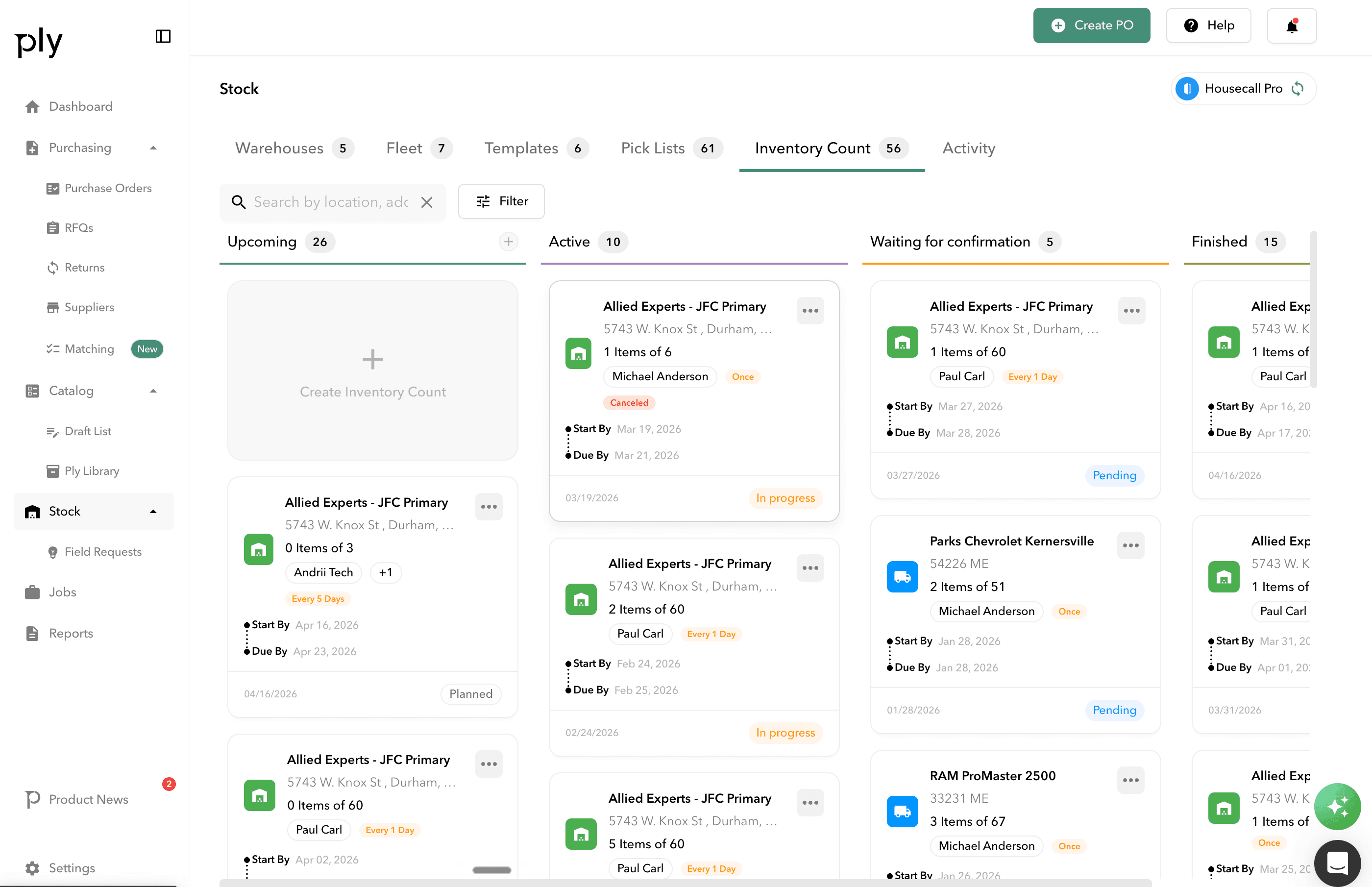
How it works
Cycle Counts in Ply follows a clear, structured workflow.
Plan
Schedule cycle counts for a future date. Select materials using activity-based, random sampling, category, position, or manual methods. Assign users and set reminders.
Count
Users count inventory using a mobile-friendly interface. Record actual quantities against expected amounts with automatic difference calculation and per-item notes.
Review
All items counted and results await review. Variances are highlighted with cost impact analysis so you know exactly where discrepancies occurred.
Complete
Finalize the count, automatically update inventory quantities, and sync adjustments to your accounting system. Full audit trail maintained for compliance.
Key benefits
Smart material selection
Choose what to count using activity-based selection (high-movement items), random percentage sampling, category or position filters, cost range filters, or manual selection.
Recurring automation
Set up daily, weekly, or monthly recurring counts with inherited settings from parent counts. Auto-notification system keeps assigned users in the loop.
Real-time inventory updates
Inventory quantities adjust automatically upon count completion. No manual corrections needed — the system handles the math.
Variance reporting
Detailed variance analysis with cost impact calculations. Track inventory accuracy percentage, count completion rates, and turnaround times.
Accounting sync
QuickBooks Online gets real-time inventory and cost synchronization. Sage Intacct receives variance posting and cost layer adjustments automatically.
Works with your existing tools





Ready to see Cycle Counts in action?
Book a demo and see how Ply helps trades businesses streamline cycle counts and take control of their inventory.