














Barcode scanning for every item, every location
Scan to identify, track, and manage inventory. Fast item lookup with automatic data population from external UPC databases, custom label printing, and full audit trails.
How it works
Barcode Scanning in Ply follows a clear, structured workflow.
Scan barcode
Use your phone camera, Bluetooth scanner, or USB scanner. The system logs device ID, geo-coordinates, timestamp, and user attribution.
Identify item
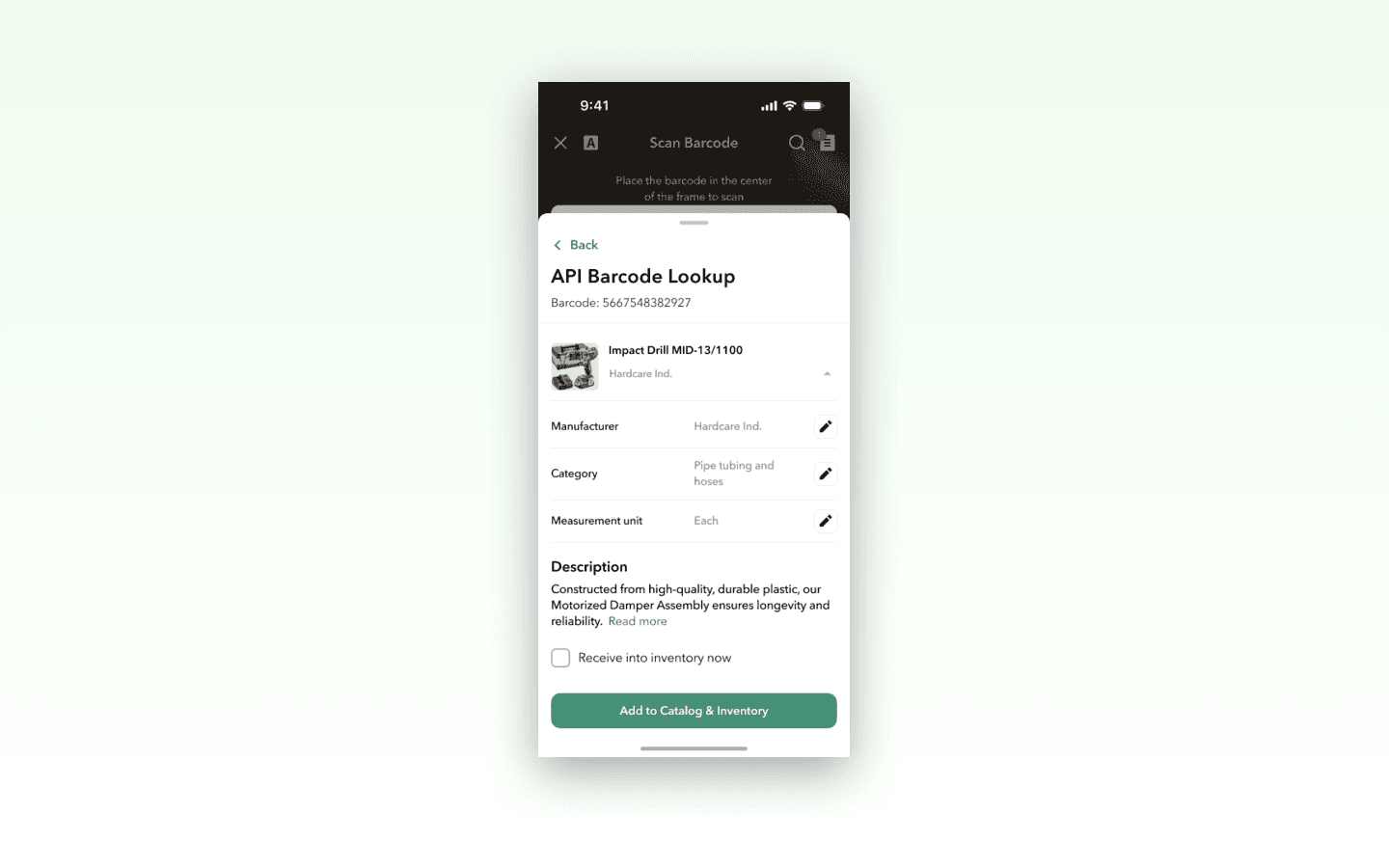
Recognizes materials, kits, tools, and consumables. External UPC database integration auto-populates product details, images, and manufacturer info.
Take action
View details, add new items, transfer between locations, adjust quantities, or add to pick lists, purchase orders, and jobs — all from the scan result.
Print label
Generate a custom PDF label in any of 6 sizes and print directly from the scan result. Labels include item name, location, barcode, and optional product image.
Key benefits
Automatic product lookup
External barcode database integration auto-populates product names, manufacturer details, and images so you never manually enter item data.
Custom label printing
Print PDF labels in 6 sizes (from 1x2.625 inches to 2x4 inches) with configurable content including name, variation, location, and product image.
Duplicate detection
Validates barcodes per-location to prevent conflicts. When a duplicate is found, resolution options are presented to keep your catalog clean.
Complete scan audit trail
Every scan is logged with device, location, time, and user for compliance tracking and activity analysis.
Multi-device support
Works with mobile cameras, Bluetooth scanners, and USB scanners. Low-light performance and fast recognition keep warehouse operations moving.
Core capabilities
Scan items in and out
Recognize materials, kits, tools, and consumables at receiving, on the truck, or at the job site with fast recognition and low-light performance.
Label generation
Print custom PDF labels in 6 sizes with configurable content. Supports CODE_128 format with up to 80-character ASCII barcodes.
Barcode management
Add, edit, or delete barcodes with validation rules. CODE_128 format, max 80 characters, ASCII only — keeping your barcode system consistent.
Inventory actions from scan
View item details, transfer between locations, adjust quantities with proper permissions, and add items to pick lists or purchase orders.
Ready to see Barcode Scanning in action?
Book a demo and see how Ply helps trades businesses streamline barcode scanning and take control of their inventory.